tabby and tamara instalments in Meta catalog ads
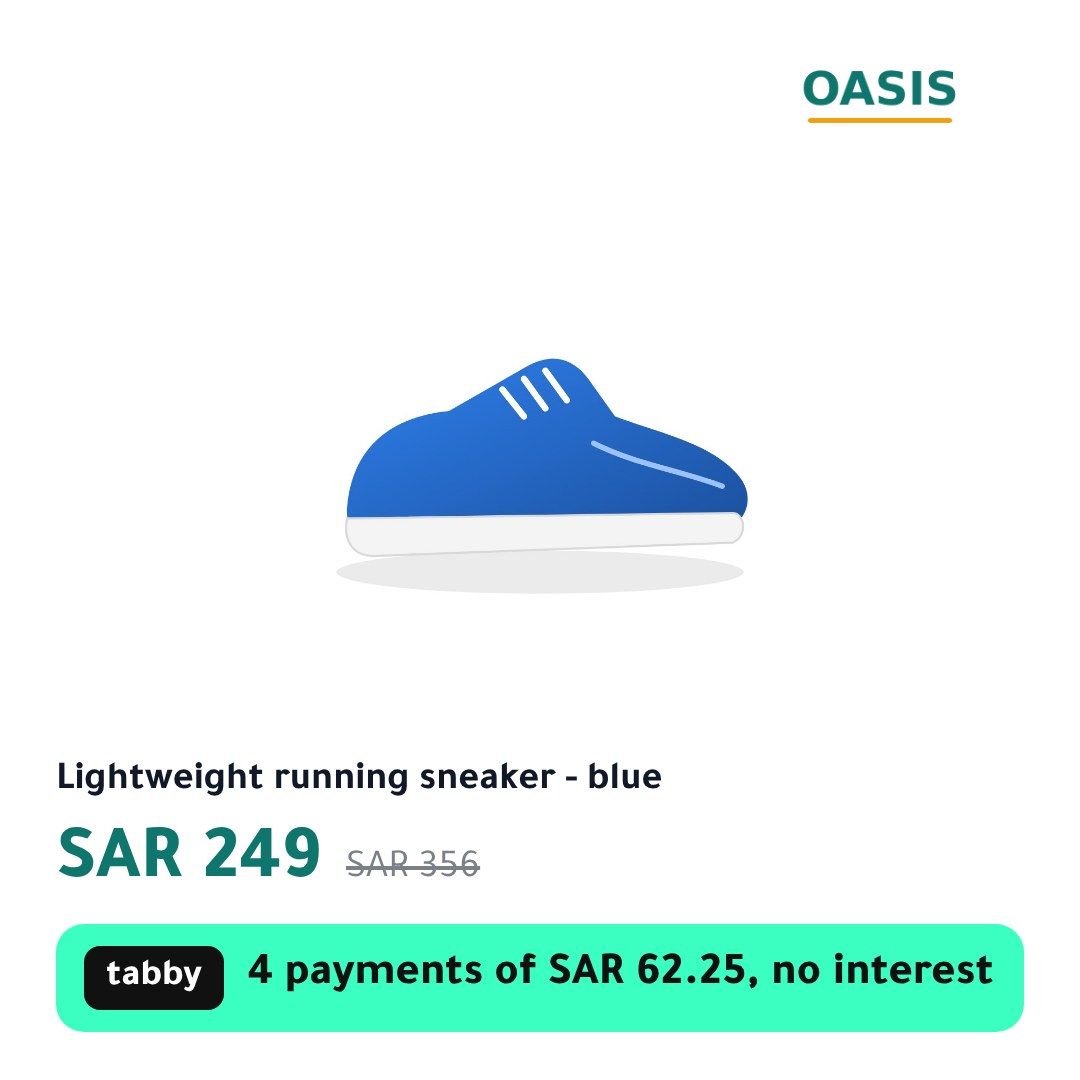
Meta’s catalog ads show the price your feed gives them and nothing about instalments. CatalogBadge draws the tabby or tamara line into each product’s image, for example 4 payments of SAR 374.75, so Facebook and Instagram show it wherever the image appears, in Feed, Stories and Reels.
Put it in Meta
File to paste: meta-supp.csv / meta-full.xml
- In Commerce Manager, open the catalog your Advantage+ catalog ads use, then Data sources.
- If Salla, Zid or Shopify fills that catalog through an app, add our supplementary file to that source. If the catalog reads a feed URL you scheduled, replace that URL with our full file.
- Set the schedule to hourly, so a new price and its instalment reach Meta within the hour.
- The 1:1 image is each product’s main picture. Turn on 4:5 and 9:16 in Rules and they go in as additional images, so Stories and Reels show the line too, clear of the buttons at the bottom of the screen.
- In your ad, under Advantage+ creative, turn off dynamic overlays: Meta’s own price label can sit on top of your instalment line on Facebook Feed. Turn off background generation as well, and choose no image template, or Meta redraws around your design.
- Arabic images write the line right to left, for example ٤ دفعات × ٦٢٫٢٥ ر.س بدون فوائد, or with Western digits if you prefer. English images go to Meta through a language feed, so an English-speaking audience sees the English line.
Set up the instalment line in CatalogBadge
- Open your store in CatalogBadge, then Brand, and find the Buy now, pay later box. Add tabby, tamara or both, in the order you want them shown.
- Set the number of instalments (4 unless you change it) and the smallest and largest order your merchant agreement allows. tabby and tamara agree limits per merchant, so use yours.
- Pick a design that shows the line: the bnpl template leads with it, and sale, split, header, ribbon and tag carry it below the price. Preview it on your own products in Arabic and English.
How the amount on the image is worked out
- The price shown, sale price included, divided by the number of instalments and rounded up, so the line never shows less than a shopper pays. A price that does not divide evenly carries “approx.”.
- A product priced outside your minimum or maximum shows no instalment line at all.
- With both providers on the same number of instalments, one line carries both names; each name sits on its provider’s own colours.
- When the price changes, the product shows its own photo until the new image is ready. It never shows an old instalment.
Pinterest is left out on purpose: its 2:3 image drops the instalment line, because Pinterest asks for calm images with little text on them.
Questions
Can I use the tabby or tamara logo instead of the name?
Yes, if your merchant agreement allows it: upload the logo in the Buy now, pay later box and it replaces the text mark. Without one, the line shows the provider’s name in its colours.
Does Meta need anything else from my feed?
No new fields. Our file keeps your ids, titles, prices and links exactly as your feed has them and changes only the image links, so your product sets and ad sets keep working.
- Pay-later instalment line
- Meta catalog feeds