How it works
From your product feed to branded catalog ads, and kept right every day
You give us the feed link your store already has. We give you feed links for Meta, TikTok, Snapchat and Pinterest that point at branded images of your products. Here is everything that happens in between.
What happens on every update
- 1
We read your feed
Every hour by default, from Salla, Zid, Shopify, WooCommerce, Magento or any feed in Meta or Google Shopping format (XML, CSV, TSV, RSS or Atom), or straight from Magento, PrestaShop, Shopware, Squarespace or Ecwid with a read-only key. Prices in any GCC currency, written any common way, are read exactly, down to the fils, and a price in another currency is read with its ISO code (for example 1249.50 EUR). Your dashboard lists what Meta would reject: prices it cannot read, titles over 65 characters, products missing a brand or GTIN, sale prices higher than the price.
- 2
We pick each product’s design
Your rules decide the template: one for products on sale and one for the rest, or by price, discount, category, brand or custom label, with schedules for Ramadan, the Eids, White Friday or your national day from the season presets for your store’s country. Your own designs can show an element only when it applies, for example a red badge when the discount is 30% or more. A product counts as on sale only inside its sale dates. Out-of-stock products are skipped and keep their own photo.
- 3
We draw the images
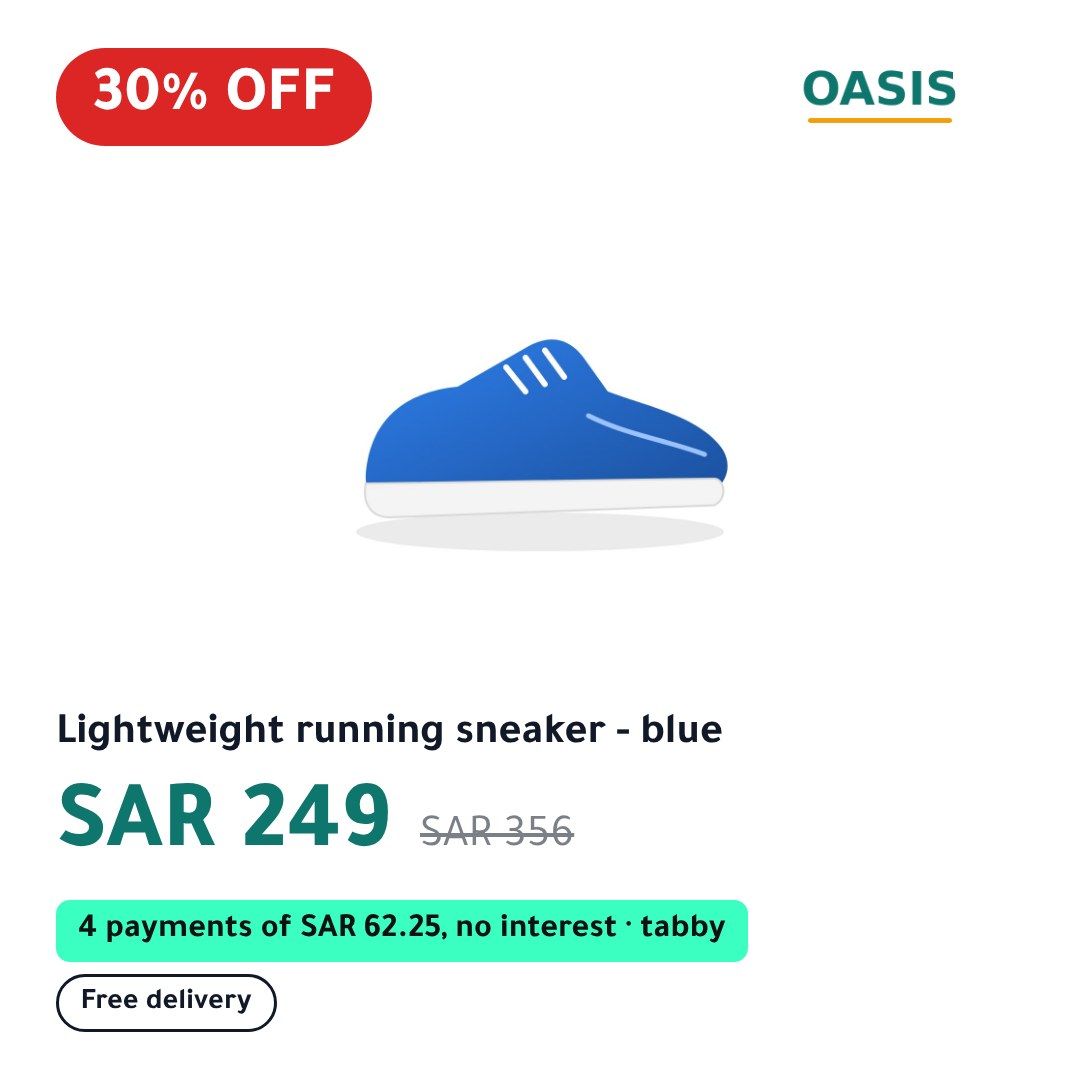
In a real browser engine, so Arabic letters join and run right to left exactly as on a phone. Each image carries the price, the old price and the % off (rounded down, so it never overstates the saving), the pay-later instalment (tabby, tamara, Klarna, Afterpay and others) worked out from that product’s price, review stars from your feed if you have them, your badges and your logo. Square 1:1 for feeds, 4:5, 9:16 for Stories and Reels and 2:3 for Pinterest, in Arabic and, when your feed has English titles, in English.
- 4
We host each image at its own permanent address
Every image gets a new address whenever anything on it changes, because the ad platforms only download an image again when its address changes. We never replace an image at an address that is already in use. Replaced images stay online for 30 days.
- 5
We publish your feeds, after checks
A new feed goes live only if it was written completely, still holds at least 80% of the products of the last one, and points only at images we made for your store. Otherwise the last good feed stays in place and we email you. Each ad platform fetches its feed on the schedule you set in your catalog; we recommend hourly. On Growth and up you can also have up to three design variants, each with its own feeds, and a set of feeds per country with that country’s prices; on Pro, Meta and TikTok feeds can carry a product video.
What makes a new image, and what your ads show meanwhile
| When this changes | Your ad shows, until the new image is ready |
|---|---|
| Price, sale price, sale dates, title, photo, or offer text (promo, instalments, “from” price) | Your original product photo. Never an older image with an old price on it. |
| Only the look: logo, colours, font, digits, template | The previous image, which still shows the right price. |
| Nothing | The same image. An unchanged product is never drawn again. |
When something goes wrong
A product photo is broken
That product keeps its original image. The rest of your catalog carries on, and the dashboard tells you which product and why. Photos under 500 pixels are drawn but flagged, so you can replace them.
Your feed cannot be read
The last good feeds stay exactly as they were. If a sale ends while your feed is down, we still take that sale image down on time. After two failed updates in a row we email you.
Your feed suddenly loses many products
If it shrinks by more than 20%, we keep the previous feed and email you, so a broken export never empties your catalog.
Meta stops fetching your feed
If Meta has not fetched your feed for 48 hours, we email you, because that usually means the URL was removed from the catalog.
Two ways to connect your catalog
Your catalog runs on a feed file
You swap the scheduled feed URL in Commerce Manager for ours. Our feed carries every field of yours unchanged apart from the image links, so nothing else about the catalog changes. To undo it, paste your old URL back. TikTok and Pinterest catalogs always connect this way, and Snapchat can too.
Your catalog comes from a platform integration
Shopify’s Facebook channel, Salla’s Meta integration and the Zid apps create the catalog for you (Snapchat has the same kind of integration). You add our feed as a supplementary feed that only changes the images; prices and stock still come from your platform. To undo it, delete the supplementary feed.
How fast changes reach your ads
- We check your feed every hour by default. When nothing in it changed, nothing else happens.
- When a sale or a scheduled template starts or ends, we update at that moment, not at the next hourly check.
- Meta, TikTok and Snapchat then fetch our feed on the schedule you set; set it to hourly in your catalog. Pinterest fetches once a day.
See it on your own products
Start your 14-day free trial with a card (you pay nothing if you cancel before it ends), paste your feed URL and preview your products before anything goes live.